All projects

Case study

Connect domain - A Pro feature with no benchmark to follow, adopted by 70% of paying users.

Sticklight is Elementor’s AI-powered site builder for professionals who build websites for clients. For them, the site isn’t truly finished until it’s live on the client’s own domain.

As Sticklight’s first designer, my role was to deliver this feature, zero-to-one, as the first Pro feature required for our Beta release. In the first four months after Beta, 70% of paying users connected a domain.

Company
Sticklight by Elementor
Timeline
Q4 2025 · 1 week
Team
1 PM, 1 Design, 2 Dev
Tools
Figma, FigJam, Gemini
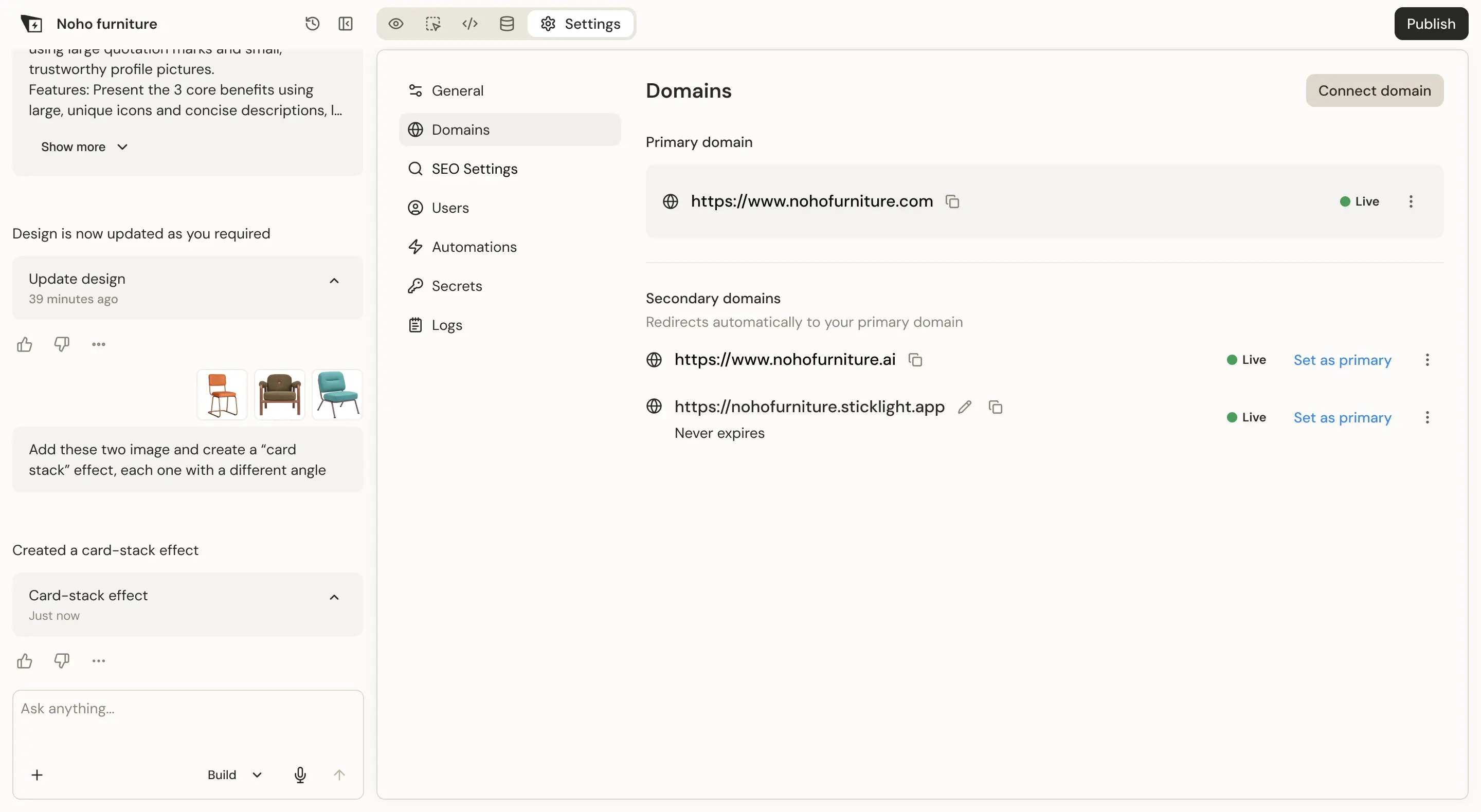
Sticklight's Domains settings tab showing a live primary domain and secondary domains, next to a published furniture site and a column of domain status cards.

Research

I couldn’t find a competitor that answered a basic question: which domain points to my project?

Every project starts from research. Going into the Connect domain feature, I expected to find a clear benchmark - something proven I could adapt for Sticklight’s first release.

Instead, here’s what I found across the tools I researched:

Vibe-coding

Base44

  • Split by origin
  • Current domain is not clear

Vibe-coding

Lovable

  • Flat list
  • Confusing star indication for primary
  • Hierarchy is not clear

Drag & drop editor

Squarespace

  • Split by origin
  • No actions
  • Built-in domain status is not clear

Structure

I built a hierarchy that made the primary domain impossible to miss

Coming out of the competitor research, the direction was clear: group by role, not by origin or a flat list.

01

Primary domain

The official domain

02

Secondary domain

Redirects to the primary

03

Additional domains

Validating or needs action

Prototyping

I used AI to explore directions before committing to one

At this point, Sticklight didn’t have clear design-system patterns or components - the design could have gone anywhere.

The project moved fast, and once I had the structure in mind, it felt natural to explore a few directions with AI before committing.

Table layout

Familiar and solid, but redundant since we assumed most users wouldn’t add more than one domain

Left-aligned labels

Unbalanced, and didn’t hold up under translation into Sticklight’s 8 languages

Card per domain

The direction I actually pursued, and what led to the final design

Design

The full flow, from a single default domain to several managed at once

From a Live default domain, through adding and validating a connected domain - exposing its DNS records - to managing several domains on a single project:

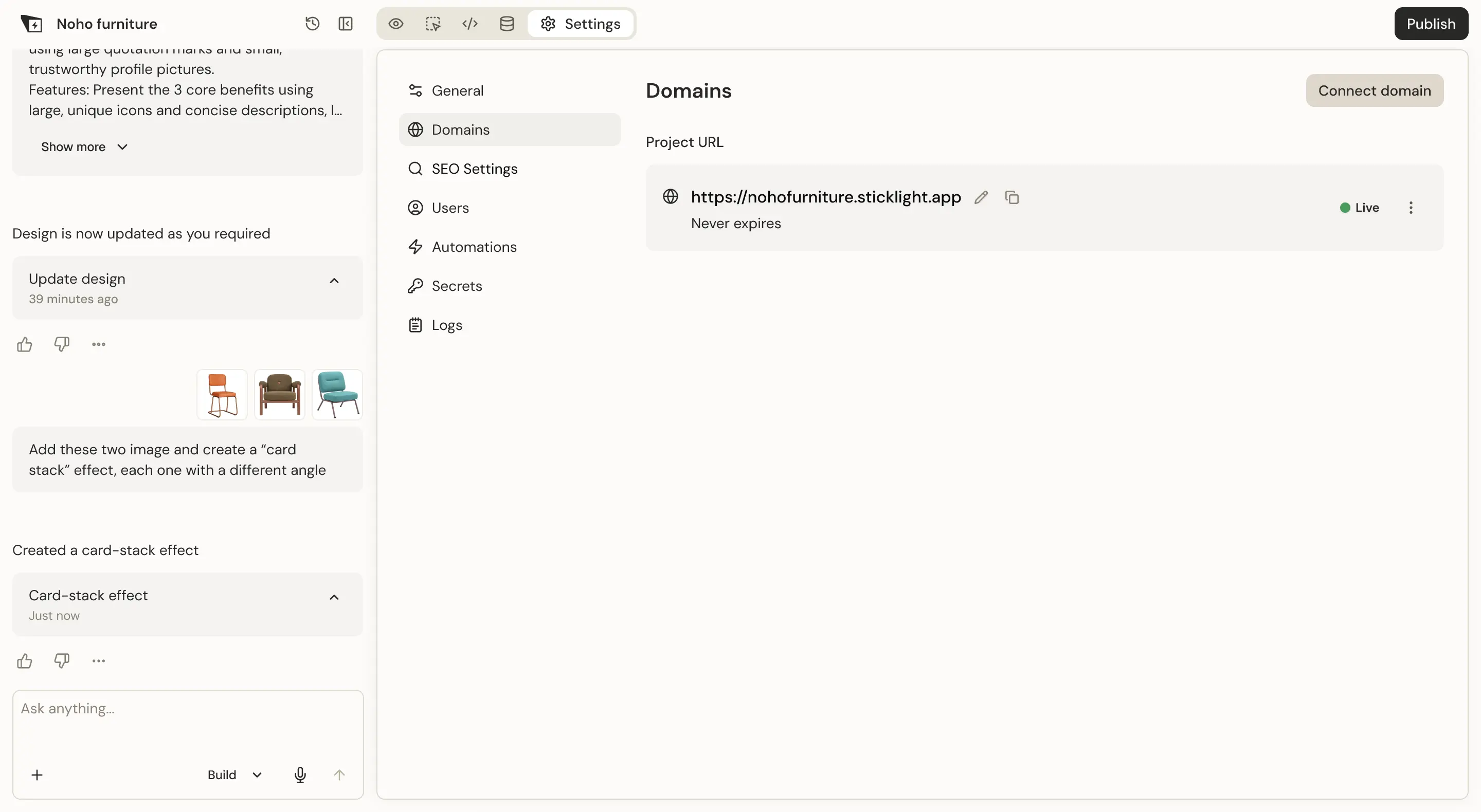
The Domains tab with a single Project URL, the Sticklight address, marked Live.
Default state, showing the Sticklight URL
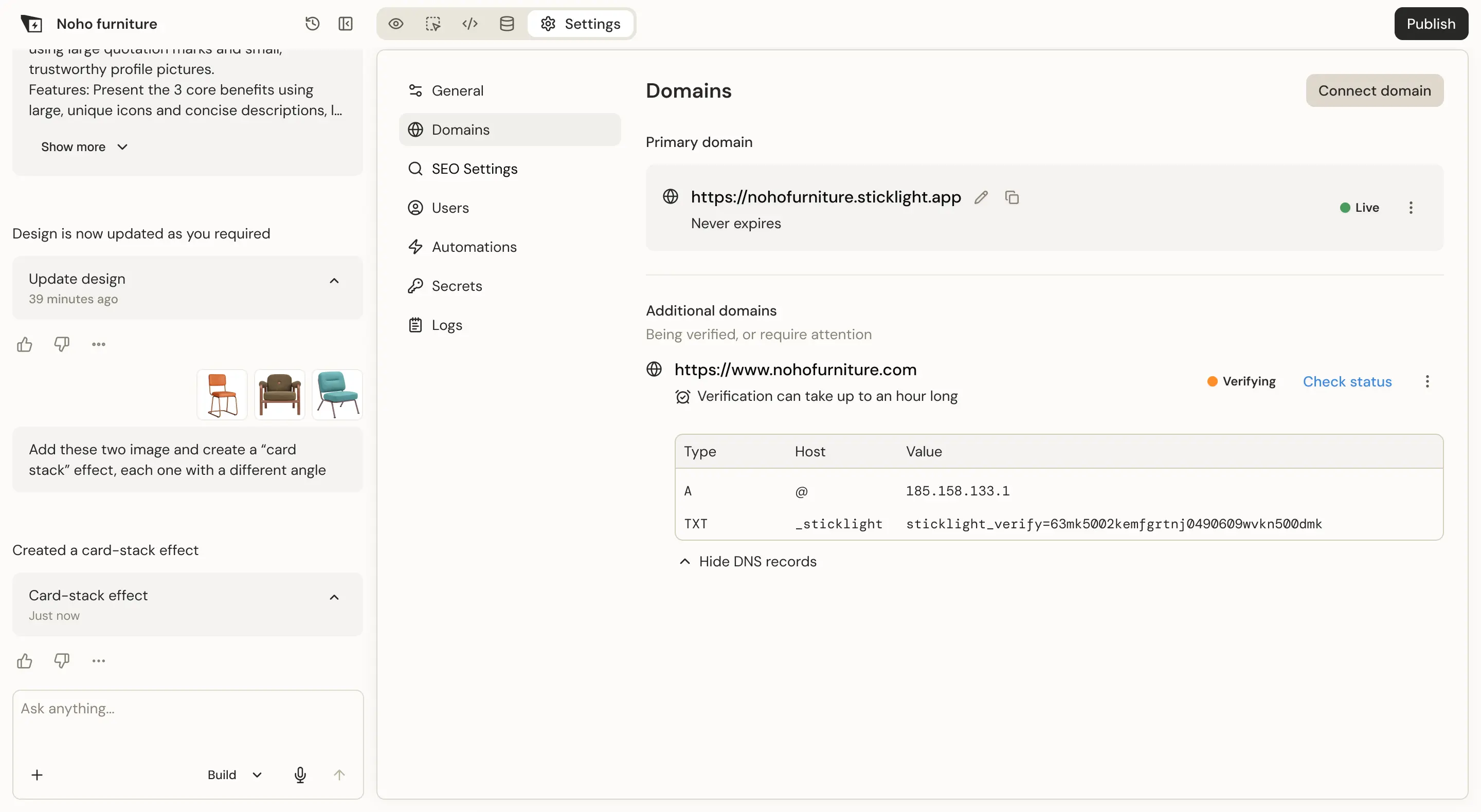
A newly added domain under Additional domains, marked Verifying, with its DNS A and TXT records expanded below it.
Verifying a newly added domain
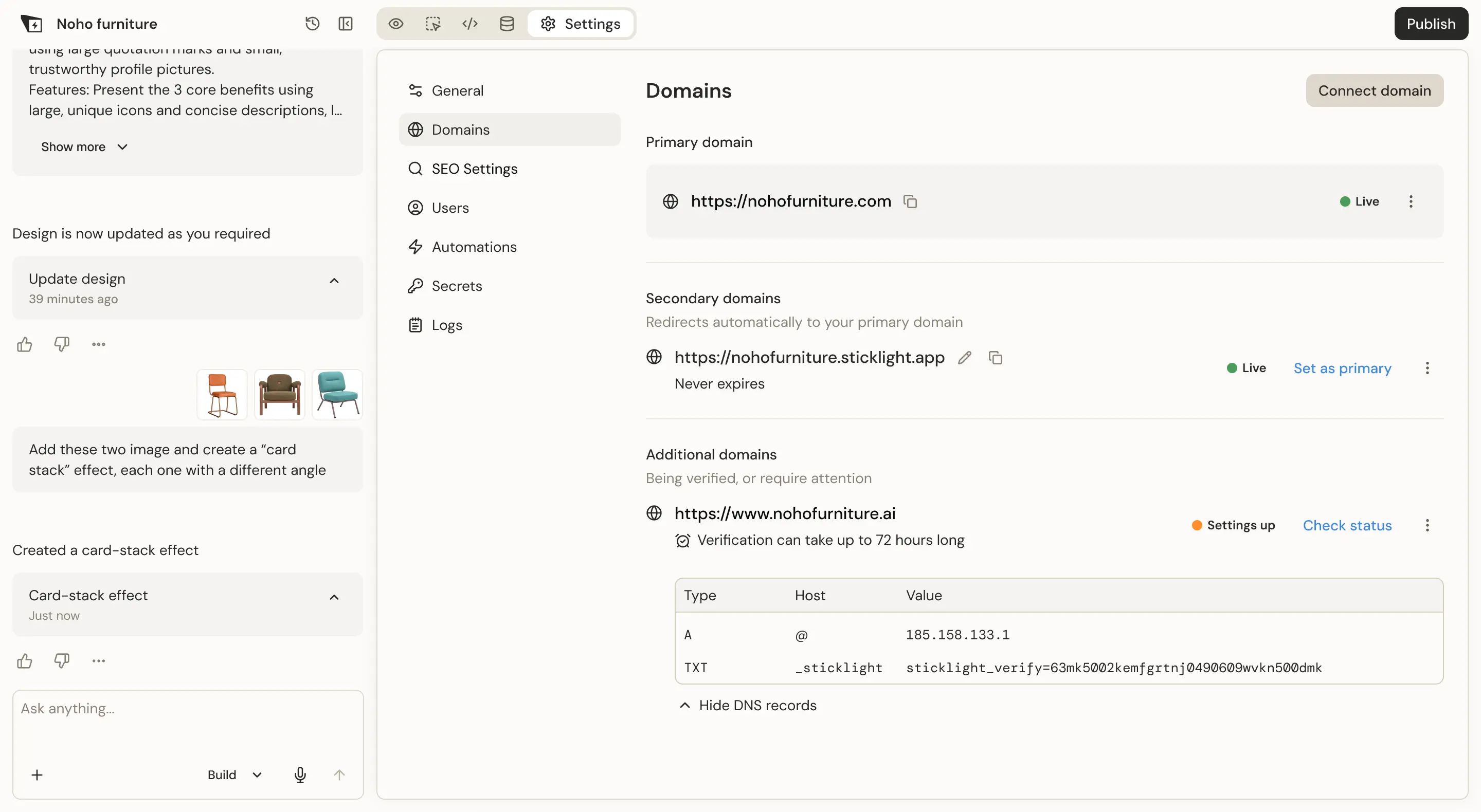
The verified domain now Live as the primary, the Sticklight address moved to secondary, and a second added domain verifying below.
Domain goes live, a second one added
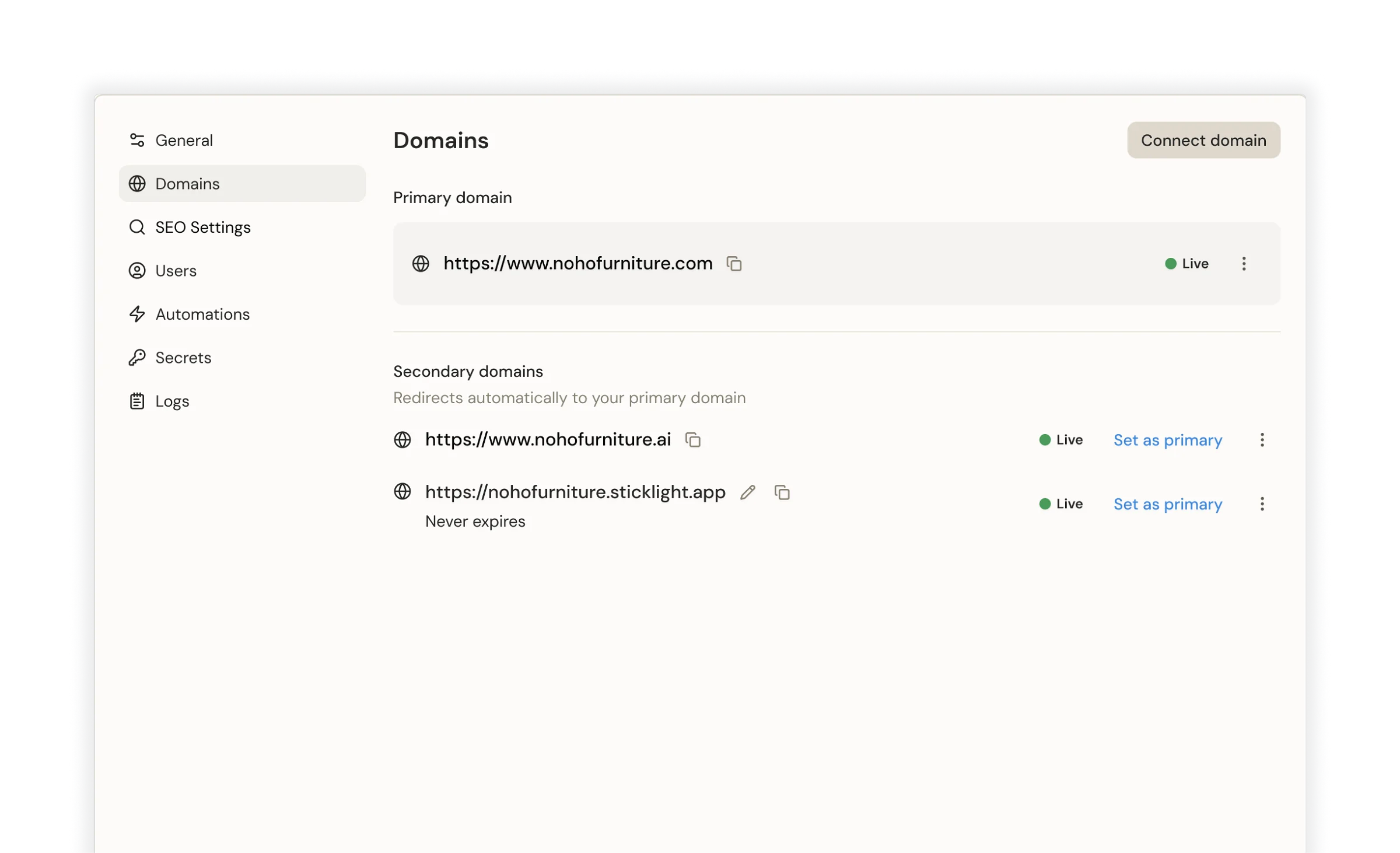
Three live domains on one project: one primary and two secondary, each with a Set as primary action.
Three live domains - one primary, two secondary
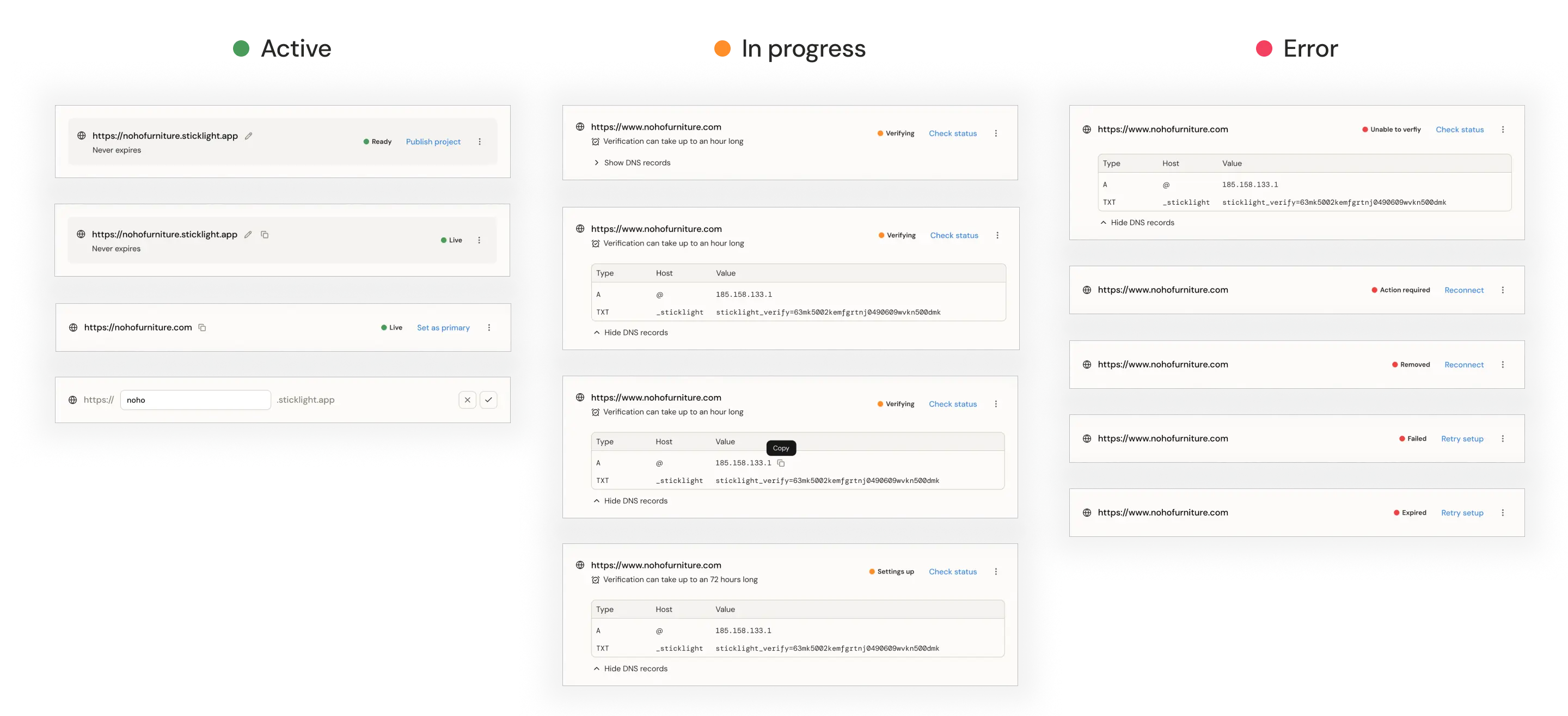
Domain cards grouped into three columns - Active, In progress and Error - each showing its status badge and the action available, from Set as primary to Reconnect and Retry setup.
Domain statuses and actions

Pivot

Development constraint turned into a fallback, designed in a day

Due to development time constraints, it was clear that the full solution using the Domains tab wouldn’t happen in this phase. My single-day mission was to translate the logic and principles and rebuild the feature inside the Publish panel instead, as a temporary lighter version.

In the Publish panel, users come to publish, not to connect a domain, so anything extra adds friction to that action.

That kept the design lean, which meant three cuts:

  • No DNS records table
  • One group instead of two: the primary domain first, all others below it
  • Actions exposed on the primary domain only, the rest under a three-dot menu
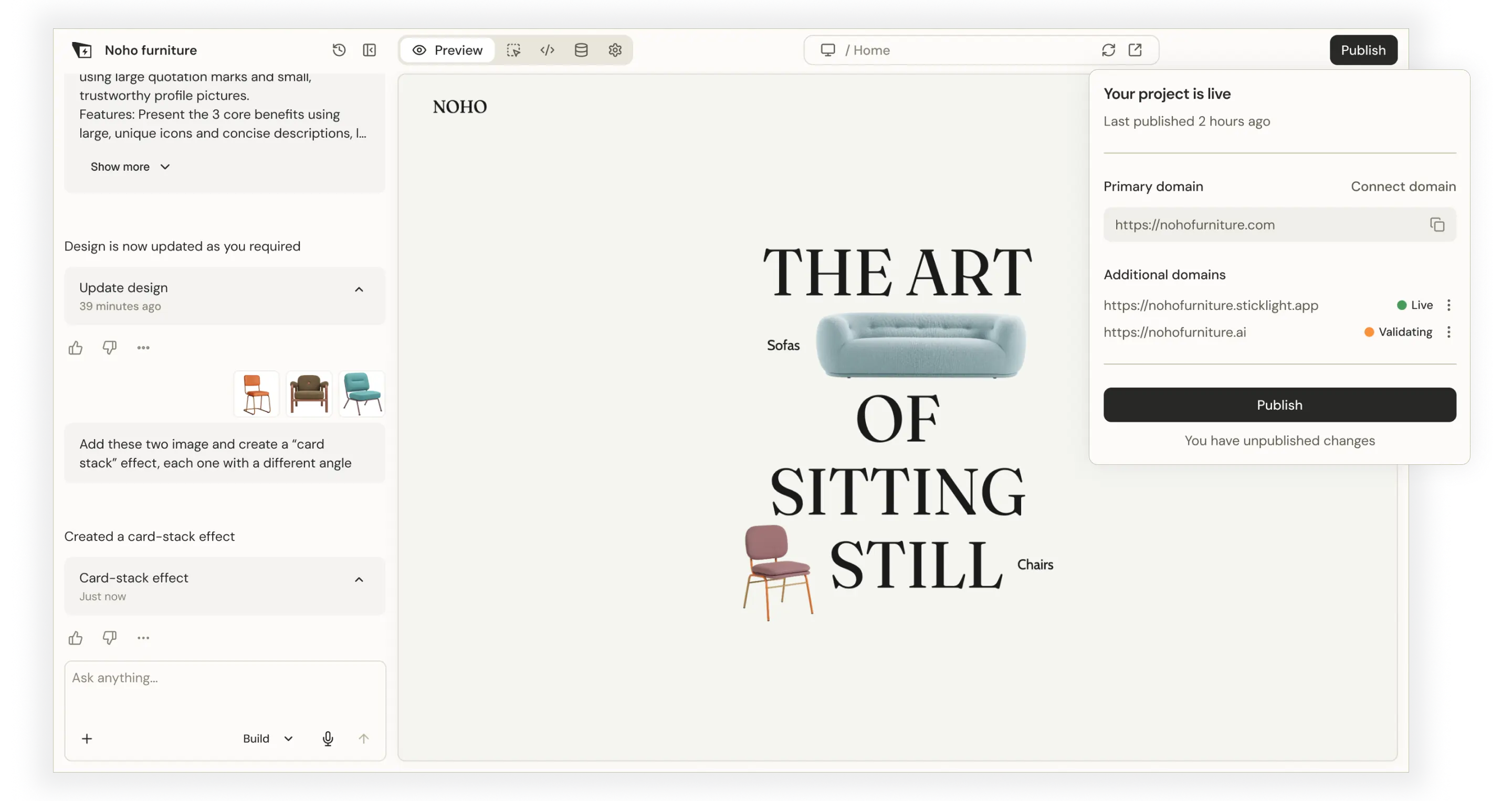
The Sticklight editor with the Publish panel open, showing the primary domain field and a list of additional domains with Live and Validating states.
Temporary tab-less solution due to development constraints

Impact

Impact - a Pro feature paying users actually use

In the first four months after the Beta release (March–July 2026):

500+

Domains connected

70%

of paying users connected a domain

Takeaway

What I learned

A solid structure is key

Once the structure and logic were right, it wasn’t tied to one screen - it’s what made the one-day Publish panel fallback possible.

Ruling out is better than copying

I expected to find a ready answer among competitors - instead, I found problems worth fixing.